
Update v0.21 — Weapon Skins, DPS/HPS Testing & New Merchant Economy
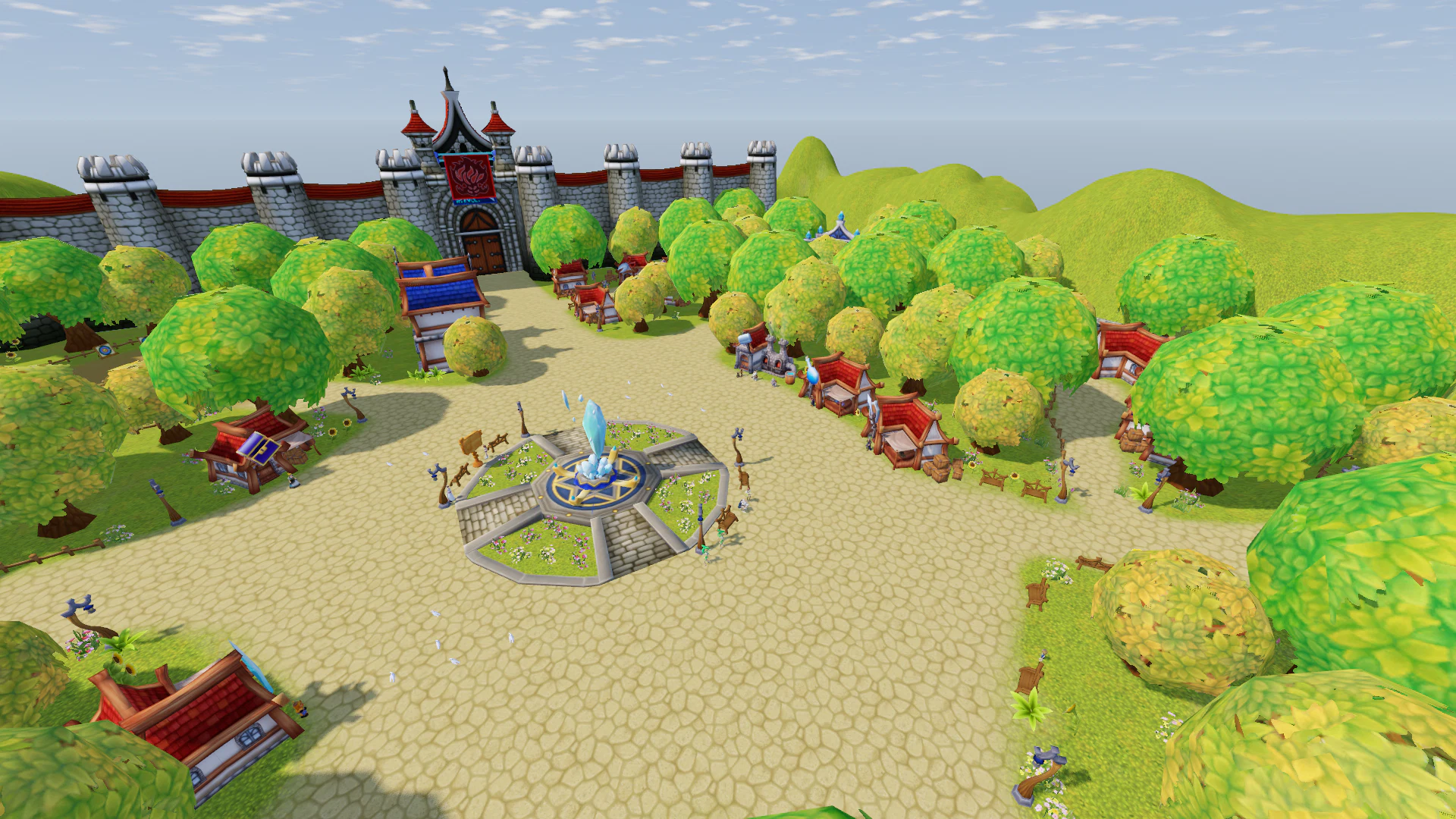
v0.21 significantly expands character customization, adds proper Build performance testing, and introduces a new NPC merchant economy.
Main highlights:
- Weapon Skins, Wings, Capes, and Costume Accessories are now visually displayed on characters;
- the Training Ground now includes a full 60-second Damage and Healing test;
- Merchants now have their own Gold reserves, item restrictions, and hourly replenishment;
- a new Buyer NPC has been added in Alpen, accepting any type of item and reselling them to other players;
- Rainbow Bait and Auto Shovel Oil now provide 100% success and full AFK mode;
- Army Battle received additional changes to visibility, temporary effects, and Strategic Point captures;
- Magic Shield, Recovery Mage, Boss Loot, Fishing Baits, Quests, and many other issues have been fixed.
Costume — Weapon Skins, Wings, Capes & Accessories
The Costume system has received a major visual update.
Weapon Skins Are Now Visible
Costume Weapons now visually replace your real weapon when both belong to the same weapon type. For example:
- Spear Skin → Spear;
- Bow Skin → Bow;
- other weapon types follow the same rule.
Gameplay properties still come from the real weapon, including:
- Damage;
- Range;
- Enhancement Glow.
Only the appearance changes.
Wings, Capes & Accessories
The following Costume elements are now displayed on characters:
- Glasses;
- Ears;
- other Costume Accessories;
- Wings;
- Capes.
They now work correctly on Male Characters and Female Characters, with their proper colors.
Previously, these items could be equipped but did not visually change the character.
Other players can also see your Weapon Skins, Accessories, Wings and Capes.
Costume Slot Labels Fixed
The Weapon Costume slot was previously incorrectly labeled Costume: Wings. It is now correctly named Costume: Weapon.
The Cape slot is now labeled Costume: Cape / Wings, because Wings are equipped there.
What Is Still Missing
A few parts of the system are still unfinished:
- some Wings do not yet have Glow or additional Effects;
- some Weapon Skins and Accessories do not yet have their own Model;
- if a Weapon Skin has no Model, the real weapon remains visible;
- there is currently no separate Hide Weapon Skin / Accessories option.
Training Ground — Damage & Healing Test
The Training Ground in Alpia now includes an automatic character performance test. It works with:
- Damage Target;
- Healing Patient.
60-Second Test
The test starts automatically:
- on the first Hit against the Damage Target;
- or on the first Heal applied to the Patient.
Duration — 60 seconds.
While the test is active, the top of the screen displays:
- a Timer;
- a Progress Bar showing the remaining time.
DPS / HPS Results
When the minute ends, the character automatically stops attacking and using Skills. The final result is then displayed.
Damage Target:
- Damage per Second;
- Total Damage over 60 seconds.
Healing Patient:
- Healing per Second;
- Total Healing over 60 seconds.
The result is also written to the Combat Log.
Cooldown Reset
When the test ends, all Skill Cooldowns are reset. This allows you to immediately change your Build or Rotation and start another test.
Cooldowns for Potions and Scrolls are not reset.
Individual Testing
Each player has their own independent test. If several players attack the same Training Target at the same time, they do not interfere with each other's results.
Damage from Poison and other Damage over Time Effects counts toward the final result, but does not start the test by itself.
The Healing Patient has also been moved farther away from the Defense Trainer area.
New Merchant Economy
NPC Merchants now use a new trading system. Different Merchants now properly specialize in different categories of Items.
Each Merchant Buys Their Own Item Types
The Equipment Merchant buys:
- Weapons;
- Armor;
- Shields;
- Accessories.
Other Merchants buy:
- Potions;
- Materials;
- Tokens;
- Arrows;
- Consumables;
- other appropriate item types.
There is one exception: any Merchant can always buy back an Item that they personally sell.
Merchants Now Have Gold Reserves
Each Merchant now has their own Gold reserve — 100,000 Gold. This reserve is shared between all players.
When a player sells an Item to the Merchant, the Merchant's Gold decreases. When a player buys an Item or buys back a previously sold Item, the Merchant's Gold increases.
If an Item costs more than the Merchant's remaining Gold, the Merchant will refuse to buy it.
Gold Replenishes Every Hour
At the beginning of every hour, each Merchant's Gold returns to 100,000 Gold.
Gold and Timer in the Shop
The Shop Window now shows:
- the Merchant's current Gold;
- the time remaining until replenishment.
The value updates while the Shop is open. If another player buys or sells something, the change becomes visible almost immediately.
Clear Refusal Messages
If a Merchant refuses an Item, the game now explains why. For example:
- wrong Merchant type;
- Merchant does not have enough Gold.
New Buyer NPC in Alpen
Zaurus in Alpen now acts as a dedicated Buyer. A new sign appears above him — [Buyer] — and his Dialogue contains a new option: Buy Items.
Buyer Accepts Any Item
Unlike normal Merchants, Zaurus accepts:
- Equipment;
- Consumables;
- almost any other Item.
He pays 25% of the Item's value and has no Gold limit.
Sold Items Appear on His Shop
After an Item is sold to Zaurus, it remains on his Shop for 1 hour. During that time, any player can purchase it.
Purchase price — 200% of the base value.
The Item keeps the exact state it had when sold, including:
- Enhancement;
- Properties;
- Gems;
- other characteristics.
After one hour, an unsold Item disappears.
No Buyback
The Buyer does not have a separate Buyback system. If you want to recover something you sold, you must purchase it from the public Shop under the same conditions as everyone else.
Items are purchased as a full Stack. It is not possible to buy only part of a Stack.
Very cheap Items must be sold in larger quantities if 25% of the value of one unit would be below 1 Gold.
Auto Fishing & Auto Excavation
Automatic modes have received several important changes.
Progress Bar
When the character is Fishing or Excavating automatically, a Progress Bar now appears on the screen. It shows:
- the name of the activity;
- the remaining seconds for the current attempt.
The bar automatically follows the selected UI Theme.
Rainbow Bait — 100% Catch
In Auto Fishing with Rainbow Bait the success rate is now 100% Catch Chance. A Fish is caught on every cast.
Presence Checks are completely disabled. This is now a true Full AFK Mode.
Auto Shovel Oil — 100% Find
In Auto Excavation with Auto Shovel Oil a find is also guaranteed — 100% Find Chance.
Presence Checks are disabled. Oil is consumed on every attempt.
Clearer Mode Description
The Manual / Auto selection window now clearly explains that:
- Rainbow Bait provides 100% Catch and Full AFK Mode;
- Auto Shovel Oil provides 100% Find and Full AFK Mode.
The text has been updated in all supported game languages.
Smoother Excavation Animation
During Auto Excavation with Oil, the character no longer jerks between attempts. The Shovel animation now smoothly transitions from one swing into the next.
Army Battle
Army Battle has received several important changes.
Strategic Point Capture Is Hidden from the Enemy
When one side starts capturing or recapturing a Strategic Point, the process is now visible only to the side performing the capture.
The enemy Army learns about the capture only after the Point has already changed control. The time remaining until the Point is fully reinforced is still visible to both sides.
The message Light / Darkness is capturing a Strategic Point is now shown only to nearby allied players.
Guild Members on the Minimap
Guild Members are no longer shown separately on the Army Battle map. The following continue to appear:
- Party Members;
- Friends.
Temporary Effects Are Removed on Entry
When entering the Army Battle Battlefield, all temporary Effects are removed from the character:
- self-applied;
- applied by other players.
The following remain active:
- Passive Skills;
- Soul Guardians;
- Item Effects.
Stealth & Pets
When a character becomes invisible, their Pet now:
- becomes semi-transparent for the owner and allies;
- disappears together with its owner for players who should not be able to see them.
Jewelry Set Bonuses
Jewelry Set piece counting has been fixed.
Previously, two identical Rings could incorrectly count as two different pieces of the Set. Now only unique Set pieces count.
For example, a Necklace and two identical Right Rings count as 2 / 3 Set Pieces instead of 3 / 3.
The Item Tooltip also now displays the correct Equipped N of M.
This rule applies to all Sets. Properly assembled Sets continue to work as before.
Magic Shield Tooltip
The Magic Shield Tooltip now shows the remaining Shield capacity. For example: Shield Remaining: 8,421 / 9,910. The value decreases after every absorbed Hit.
The Tooltip also shows the contribution from Equipment:
- Magic Shield +N;
- Magic Shield Improvement.
For example: From Equipment: +15% and +3,750 Shield Capacity.
Mage — Recovery Fix
The Skill Recovery has been fixed.
Previously, its Healing was much stronger than the amount shown in the Tooltip. The Skill value was incorrectly treated as a percentage of Magic Attack, causing each Tick to restore around 2,000 HP.
Now each Tick heals exactly according to Skill Level:
- Level 1 — 57;
- Level 2 — 64;
- Level 3 — 84;
- Level 4 — 98;
- Level 5 — 128.
The Passive Skill Study Recovery continues to work as before and adds 5%, 8% or 15% of Magic Attack to each Tick, depending on Skill Level.
The following bonuses also continue to work:
- Light Magic from Equipment;
- Increased Healing Received Effects.
Sublimation now uses the same corrected Recovery values, so its instant Healing has also been reduced.
Fishing — Flamenia Baits
The following Baits have been fixed:
- Fire Worm;
- Fire Anchovy;
- Flamenia Bait.
They now catch the same Fish as the corresponding Alpen Baits of the same type. Previously, these Baits effectively did not work anywhere.
Quest Fixes
The following Quests in Silaris have been fixed:
- Ancient Tree;
- Searching for the Booster.
Quest Objects can now be clicked with the mouse. Previously, interaction only worked through the Interaction Key, making these Quests appear broken.
NPC Quest Dialogues
After reducing the required number of Monsters in some Quests, NPC Dialogues still mentioned the old numbers. For example, a Quest could require 10 Monsters while the NPC still said “30”.
Most of these Dialogue Lines now match the actual Quest Objectives. A few Quests may still contain individual mismatches.
Monster Pathing
Monsters should no longer walk into the following while following their routes:
- Rocks;
- Trees;
- other Obstacles.
This reduces cases where Monsters become stuck inside map geometry.
Switch Character
The Switch Character button can no longer be used during Combat.
Skill Tooltips
Skills that increase Physical Attack now use the correct description Physical Attack instead of the more generic Damage.
This applies to Skills such as Tornado of Passion and similar abilities.
Healer — Third Shock Wave
The third-stage Soul Skill Shock Wave now has its own:
- Animation;
- Effects;
- Sound.
The Soul Guardian now attacks together with the character. Previously, an Animation from a different Skill was used.
Arabic Windows Interface Fix
Fixed an issue on computers where Windows uses Arabic as the system language. Previously, UI Elements could shift into incorrect positions:
- Character Frame could appear in the middle of the screen;
- Target Frame could move to the right;
- Skill Bar and Main Menu could disappear beyond the edge.
The interface now stays in the correct position regardless of the operating system language.
The Arabic Login Screen and Settings Menu still correctly use Right-to-Left Layout.
Personal Shop
Several Personal Shop issues have been fixed:
- keeping Inventory open while trading no longer floods the screen with “Trading in progress…” messages;
- Price and Quantity can now be typed normally — the field no longer resets after the first digit;
- the Remove from Sale button no longer disappears beyond the edge of the list;
- each Item entry now uses two rows: Name on top, Quantity and Price below;
- clicking your own Shop name or your character behind the stall opens the Shop Window again.
Boss Loot No Longer Disappears
A serious Loot issue has been fixed. Previously, if you:
- summoned a Boss;
- defeated it;
- left the Loot on the ground;
- summoned and defeated the Boss again;
the Loot from the first Boss could immediately disappear.
Each Drop now exists independently. Boss Loot remains on the ground for 3 minutes regardless of how many additional Bosses are defeated afterward.
The same fix applies to normal Monsters. Loot no longer disappears simply because the Monster Respawned and was defeated again.
Nemesis & Black Eagle
The presence of Nemesis near Black Eagle is intentional. The Boss summons Nemesis once when its HP falls below 40%.
Package Fixes
The [Package] Light Faction Cloak has been fixed. It now correctly grants Light Faction Cloak. Previously, unrelated Items could be obtained from the Package.
The same issue has been fixed for [Package] Dark Faction Cloak, which now grants Dark Faction Cloak.
Three seasonal Packages that previously could not be opened at all have also been fixed. They now correctly grant:
- Shamrock Balloon;
- Envious Glasses;
- Lucky Charm.
Incorrect NPC Placement Fixes
Several objects that were incorrectly placed in Fireway Forest have been removed:
[Fantagle]Teleport Crystal;- an Elf from another Location;
- a Bulletin Board from another Location.
The proper Fireway Forest Teleport Crystal remains in place.
Other misplaced NPCs have also been removed:
- Replic from Conquester;
- Treasure Chest from Castle of Chess.
Each still exists in its correct Location.
Aquaton
Hunter Manny no longer stands on the seabed near Quiet Coast. He was incorrectly placed in Aquaton and belongs to another Location that is not yet available in the game.
Pet Rename Certificate
The Pet Rename Certificate now has its own Icon. Previously, a technical placeholder was displayed instead in Inventory, Shop and different Item lists.
v0.21 significantly expands both the visual and systemic sides of the game. Costume Items now properly change character appearance, the Training Ground allows Builds to be objectively compared through DPS and HPS testing, and the new Merchant Economy gives more meaning to selling and reselling Items.
At the same time, Auto Fishing and Auto Excavation now offer a true AFK option with Rainbow Bait and Auto Shovel Oil, while a large number of fixes improve Army Battle, Combat, Loot, Fishing, Quests, UI, and older game systems.