
28/9/2026
Fixes and Improvements v0.6
Faster enhancing with no confirmation, weaker staff melee, monsters path around walls and climb slopes, melee attacks up close, gear swaps while mounted, potions heal exactly as described, login and character select in Alpia.
هذا الخبر متاح حاليًا بلغة أخرى فقط.
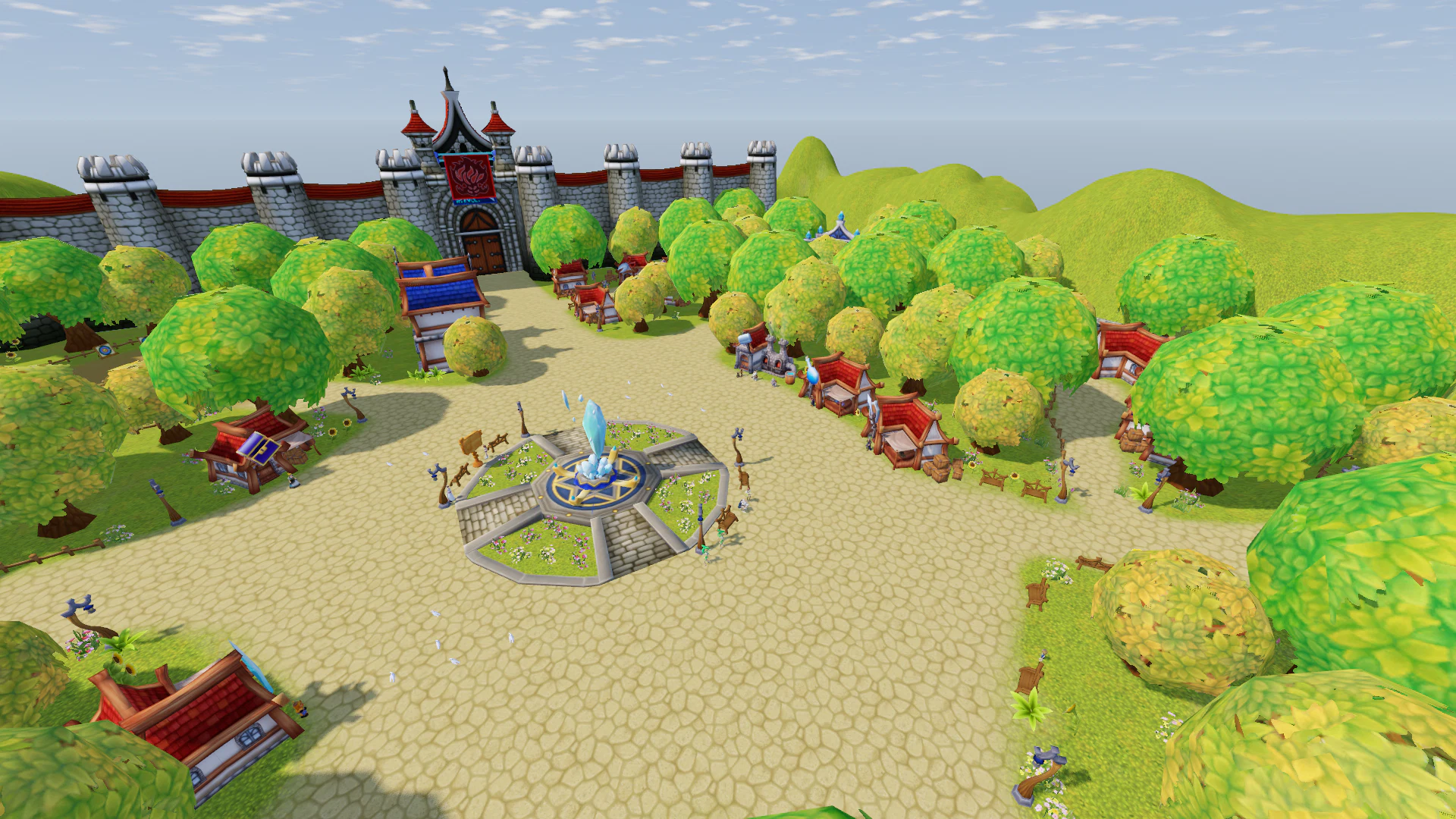
Update v0.6 brings improvements to the enhancement system, combat, monster behavior, potions, mounts, the character interface, and completely reworks the login and character selection screens.
Enhancement Is Now Faster
- Added a “No Confirmation” checkbox to the enhancement window:
- when enabled, pressing “Enhance” immediately starts the attempt without asking for confirmation;
- the game remembers your choice;
- the option is disabled by default.
- The result window no longer blocks the next enhancement attempt:
- you can continue enhancing without pressing “OK”;
- the new result simply replaces the previous one;
- the result window closes automatically after 5 seconds.
- The new-property notification at +10, +13, and above now appears after the enhancement result and also closes automatically after 5 seconds.
- Added “Nothing happens” to the list of possible failed enhancement outcomes.
- All displayed probabilities, including the success chance, now add up to exactly 100%.
Staff Basic Attack Balance
- A normal staff attack now deals 10% of the weapon’s damage.
- Mage classes are expected to rely on their spells rather than staff melee attacks for damage.
Target Selection
- Fixed target selection for large monsters:
- they can now be selected by clicking anywhere on their body;
- clicking only around their feet is no longer required.
- Fixed the target ring under selected monsters:
- its size now scales correctly with the size of the monster.
Mount Icons
- Fixed mount icons in shops and inventory:
- the icon color now matches the actual mount you receive.
- Corrected the colored variants of:
- cat-shaped balloons;
- clouds, including the red cloud variant.
Character Sheet — Accurate Critical Chance
- Critical chance is now displayed with precision up to three decimal places.
- When your final critical chance remains at the minimum 5%, the Luck contribution is shown next to it, for example:
5% (Luck 0.277%). - Luck gained from pets, equipment and stones is now visible even when the final critical chance remains at the minimum value.
- The critical chance tooltip now includes a detailed calculation for your current class:
- total Luck;
- critical chance gained per point;
- final bonus.
- Added an explanation of why critical chance remains at 5% while the Luck contribution is still below the minimum threshold.
- The Luck tooltip now shows the actual critical chance contribution for your specific class instead of a generic value.
- Added information that critical chance is rounded down to a whole percentage during combat.
Monster Behavior
Magic Monsters
- Magic-based monsters now properly keep their distance.
- Monsters that use ranged magic:
- stop roughly 20 meters away from the target;
- attack using their ranged skills;
- can still use basic attacks if you move into melee range.
- After casting a spell, monsters no longer immediately run toward the player — they remain in place until the skill finishes.
Pathfinding Around Obstacles
- Monsters can now navigate around walls and obstacles.
- If a wall stands between the monster and the player:
- the monster first looks for a path around it;
- only then does it continue the attack.
- Magic attacks no longer pass through walls.
- If there is truly no valid path to the player:
- the monster stops trying to run into the obstacle;
- if it is not attacked for 6 seconds, it returns to its original position.
Movement on Slopes
- Fixed an issue where chasing monsters could get stuck at the bottom of even small hills.
- Monsters can now climb slopes of almost any steepness — up to 85°.
- Small hills can no longer be used as a safe way to escape a chasing monster.
- Houses, trees, rocks, and other real obstacles still block movement:
- monsters do not pass through them;
- they try to find another route instead.
- Normal wandering and returning to the original position remain unchanged.
Basic Attack — Now Properly Melee
- Fixed the range of basic melee attacks.
- Swords, spears, and two-handed weapons now require the character to stand close to the target, just like combat skills.
- If the target is too far away when the attack key is pressed:
- the character automatically runs toward the target;
- once in range, the attack begins.
- The same behavior now applies in duels.
- Attack range for bows, crossbows and ballistas remains almost unchanged.
Mounts
- Weapons and armor can now be changed while riding a mount.
- You no longer need to dismount before changing equipment.
- Equipped weapons are correctly placed on the character’s back while mounted.
Health Potions
- Fixed the amount of health restored by health potions.
- Potions now heal exactly the amount shown in their description.
- Character Stamina no longer increases the base healing amount.
- For example, a Superior Health Potion now restores exactly 250 HP per tick.
- The drinking behavior remains unchanged:
- 10 ticks;
- one tick every 3 seconds;
- the first tick happens immediately;
- total duration is 27 seconds.
- The equipment property “HP Potion Recovery +N” is still added to every tick.
New — Login and Character Selection in Alpia
- The login and character selection screens have been completely reworked.
- They now take place directly in Alpia, on the square in front of the teleport crystal.
- The background now includes:
- city residents;
- pigeons;
- flowers;
- a full day and night cycle.
- The old gray background has been completely removed.
Character Selection
- All characters on the account are placed in a semicircle around the square.
- The selected character stands up, remains standing while selected, and occasionally waves or bows.
- When another character is selected, the previous one sits down and the new one stands up.
- Characters can now be selected directly by clicking them in the scene, not only through the character list.
- The selected character can be rotated with the mouse and viewed from all sides.
- All characters are shown wearing their currently equipped gear.
Character Creation
- Newly created characters are now also displayed with Alpia in the background.
Thank you to everyone who continues testing the game, reporting bugs, and suggesting improvements. A large part of the changes in v0.6 was made directly based on your feedback.